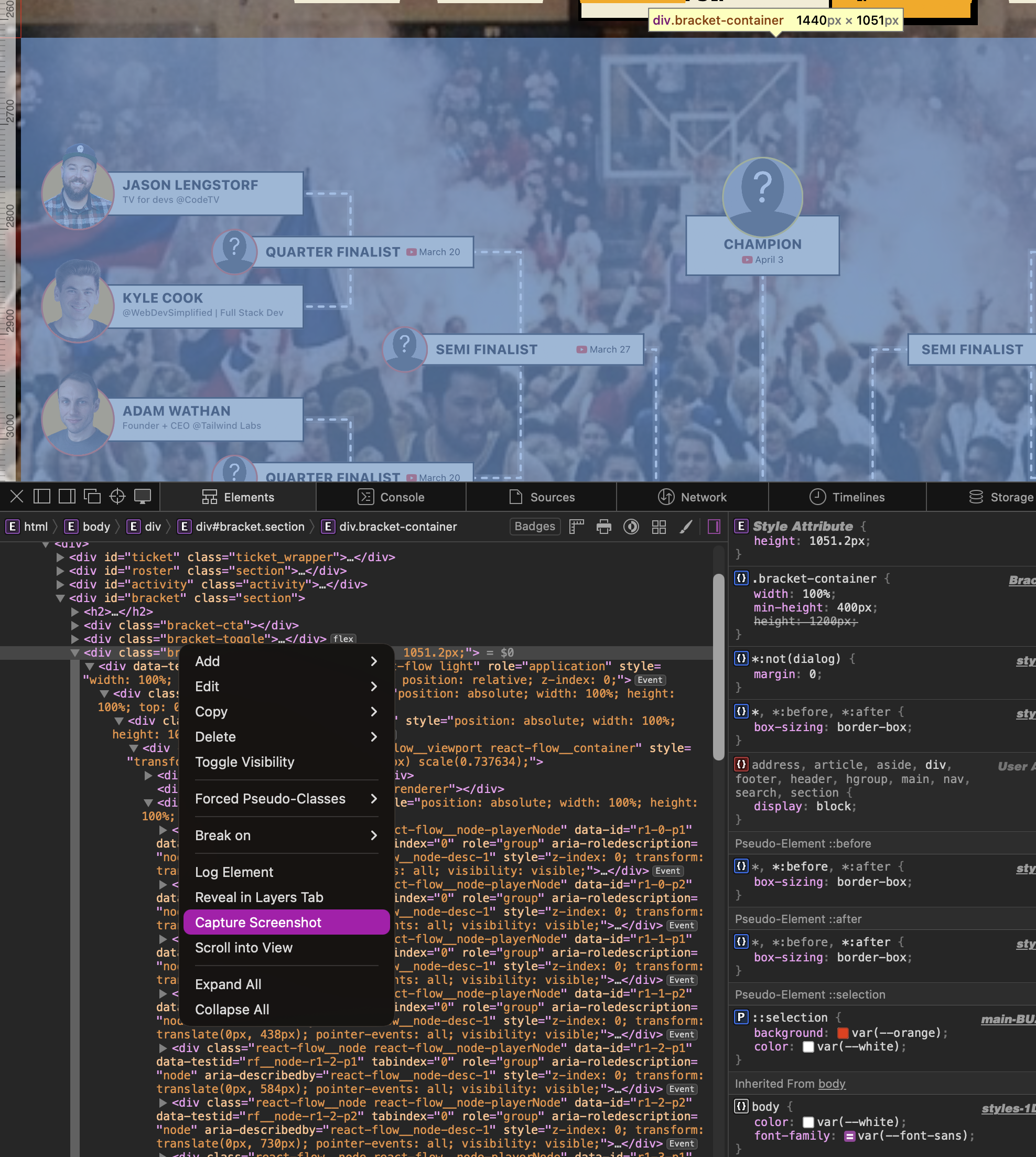
Safari lets you screenshot elements with a transparent background. HANDY!
I needed to screenshot a single element from a webpage with a transparent background -- just the element, no white box behind it.
Turns out Safari's dev tools can do exactly this, and it preserves transparency.
How to do it
- Open Safari Dev Tools (⌘⌥I)
- Select the element you want to screenshot in the Elements panel
- Right-click on the element
- Click Capture Screenshot
That's it -- Safari saves a PNG of just that element. If the element doesn't have a background colour or image set on it, the resulting screenshot will have a transparent background. The exported PNG respects the actual transparency rather than compositing it against a white background like most screenshot tools do.

Super handy when you need to grab a component or UI element from a live site and drop it into a presentation, blog post, or design comp without manually removing the background.
Find an issue with this post? Think you could clarify, update or add something?
All my posts are available to edit on Github. Any fix, little or small, is appreciated!