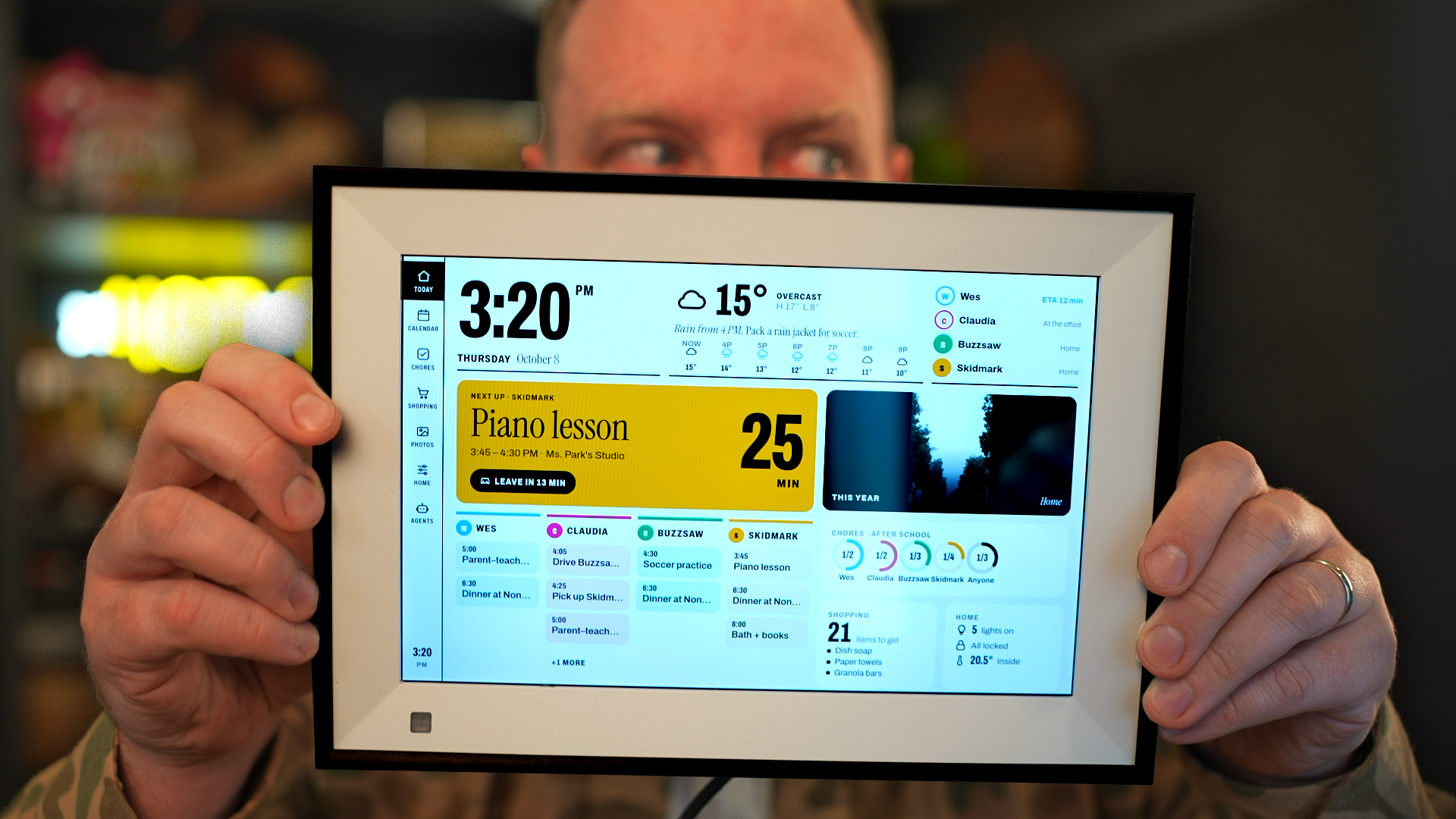
Hacking Cheap Smart Photo Frames into a Family Dashboard
My sister's $500 Skylight calendar was headed for the trash with dead Wi-Fi. I used a coding agent to root it, found a hidden debug mode, and got it back online with an $11 USB Wi-Fi dongle. Then I did it all again from scratch with a random $50 picture frame from Amazon (it now often ships a different board, see below).
These cheap smart frames are basically Android tablets in disguise, and they're a bit of a Trojan horse for a monthly subscription. You paid for the hardware, so you should be able to run whatever you want on it.
In the video I:
- Force both devices into recovery/debug mode and connect over ADB
- Root them and strip out the stock software
- Use USB OTG host mode to add Ethernet and Wi-Fi to a frame with a busted Wi-Fi chip
- Install a modern Chrome WebView so I can run my own web dashboard
- Tune swap memory and wire up the motion sensor so the screen dims when nobody's around
- Build a family dashboard backed by an agent that turns school emails into calendar events, reminders and spelling-word searches
All the code is on GitHub: wesbos/photo-frame-dashboard
Update
A lot of you built these! A few things we've learned since the video:
- The Amazon listing I linked now often ships a different board, the Allwinner PF1007L, which takes more work to unlock. Check Settings → About on yours, then follow the PF1007L guide. Use a USB-A to USB-C data cable; USB-C to USB-C gives no power or data on these.
- The device index lists every frame people have unlocked so far, with links to buy them.
- See what everyone made in Community builds.
Find an issue with this post? Think you could clarify, update or add something?
All my posts are available to edit on Github. Any fix, little or small, is appreciated!
 I made a Photo Booth complete with printer on my conference badge